

CYAN AI
The AI office system for GCC companies

Snap a photo. Your office system fills itself.

Pay for office users. Workers are free.

CYAN AI reads bills, receipts and business cards and types them into Cyan Office: sales, accounts, HR, payroll and every department in one system. Built in Doha.
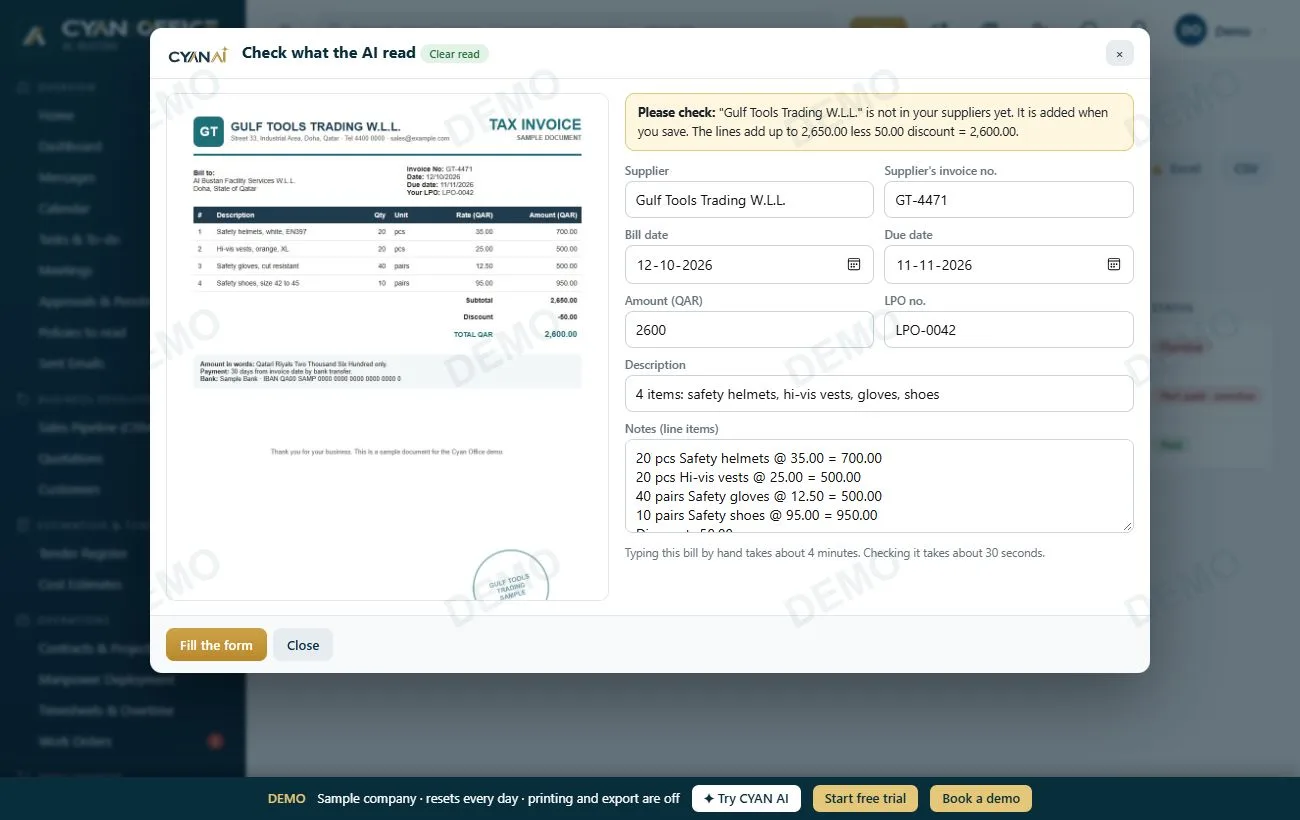
  • A bill takes 30 seconds to check instead of 4 minutes to type
  • Scan on the phone: a receipt becomes an expense claim
  • Safe: only the one photo is sent, and a person checks before saving
Live demo: no sign-up, best on a computer.
CYAN AI has read a supplier bill: the form is filled, ready to check and save

What CYAN AI does for you

Stop typing documents. Take a photo, CYAN AI fills the form, your team checks and saves.
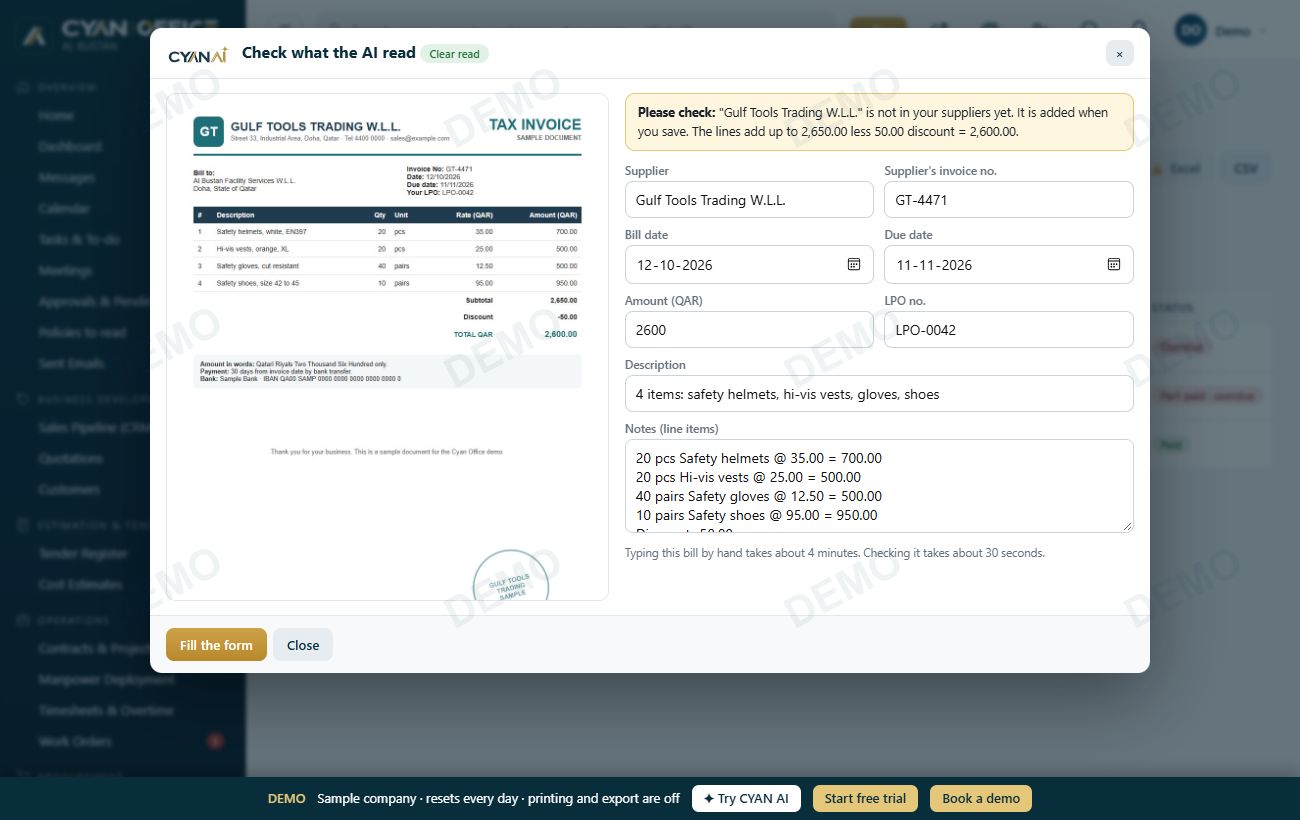
Supplier billsSupplier, bill number, dates, items and totals. Warns about duplicates.
ReceiptsBecome expense or petty cash claims, with the photo attached.
Business cardsA new customer or supplier in one tap.
C.R. and trade licenceYour company details filled in for you.
Your own formatsCopies your numbering, bank details and letterhead from one quotation.
On the phoneScan tab: snap, check, submit for approval from anywhere.
1SnapTake a photo or choose a PDF.
2CYAN AI reads itNames, dates, items and totals in seconds.
3Check and saveFix anything, click Save. The photo is kept.
CYAN AI reading a supplier bill

Safe by design

Off until the owner switches it on
Only the one photo is sent. Your customers, accounts and salaries never are
It only fills a form. It cannot save, approve or pay
Private documents never go to AI services that train on them
Calculate your savings →

How much typing does CYAN AI save?

Move the sliders to your monthly volume.

0hours saved a month
0working days back
0full-time staff of typing

Estimate: typing a bill takes about 4 minutes, checking a CYAN AI read about 30 seconds.

Every department

One system instead of Excel and WhatsApp groups

Each team sees only its own work. Management sees everything on one dashboard. Tap a department to see its screen.
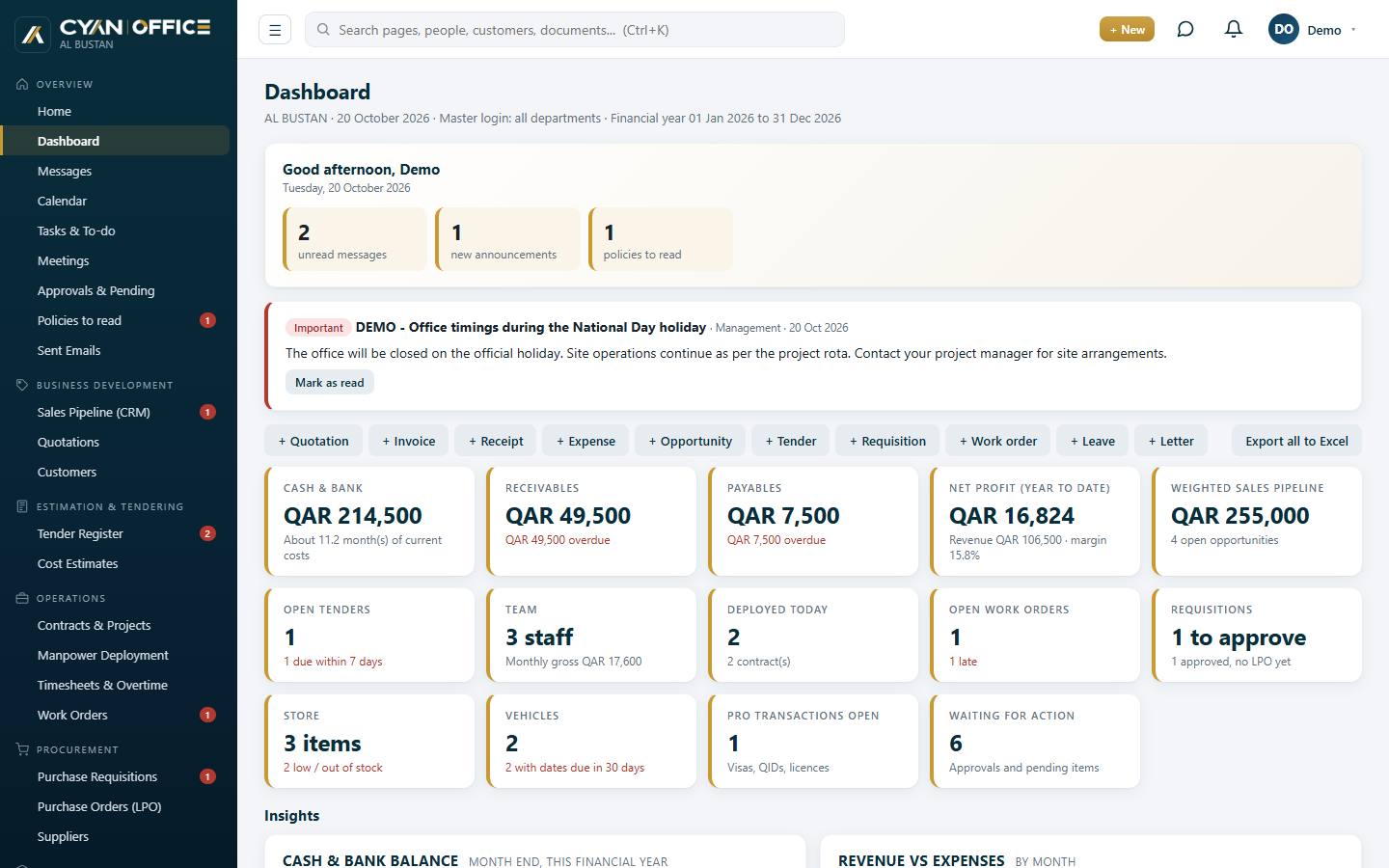
Cyan Office dashboard
Made for Qatar

Built for how Gulf companies work

Qatar rules
  • Leave, sick pay and gratuity by labour law
  • WPS salary file and QID expiry alerts
  • English and Arabic on printed documents
Phone app for everyone
  • Approve, chat and request leave
  • Payslips and expense claims with a photo
  • Works offline, sends when back online
Your data stays yours
  • Each company has its own database
  • Everyone has their own login and rights
  • Daily backups, export to Excel any time
Getting started

From Excel to Cyan Office, with our team

DemoSee it with your own workflow.
SetupWe add your letterhead, numbering and logins.
ImportYour Excel data comes in.
Go liveTraining and support in the first month.

Pay for office users. Workers are free. Staff who only use the phone app are not counted. Cloud monthly, or a one-time licence on your own computer.

Download the apps
Android phone app, Windows desktop app and office software. They update themselves.
Download the apps

Questions

Is our data safe with CYAN AI?

AI is off until the owner switches it on. Only the photo you choose is sent, and a person checks every field before saving. Private documents only go to AI services that do not train on them.

Cloud or our own computer?

Both work. The cloud needs nothing installed. The office software keeps data on a PC in your office, and phones can still reach it. You can move later with all your data.

Do we need internet?

The cloud needs internet. The office software works on your office network without it. The phone app keeps working offline and sends your changes later.

Is it in Arabic?

Screens are in English. Quotations, invoices, statements and payslips print with English and Arabic labels.

Can we bring our Excel data?

Yes. Customers, suppliers, staff, stock and balances come in from Excel, and we help you.

How long does it take to start?

A small office can start in days. Larger companies take a few weeks.

Who owns the data?

You do. Export everything to Excel or download a full backup any time.

See it with your own data

Try the live demo, or talk to us.